

Built in Egypt, Arabic first

Your whole clinic in one system — from the visit to the invoice

Health records, appointments, accounts, inventory and staff. Instead of six notebooks, two programs and WhatsApp, everything in one place.

Home hero artwork

Who is this for?

Three doors into one system: patients search and book, doctors run their clinic, and staff work without reaching data that is not theirs.

Patients audience artwork
For patients

Search, book, and keep your record

Find a doctor by specialty and city, read reviews from real patients, and keep your medical history and your family’s in one place.

Browse doctors

Doctors audience artwork
For doctors and clinic owners

Run your clinic from one screen

Write the visit note and the prescription, track appointments, invoices and stock, and see your clinic’s real numbers as they happen.

Register your clinic
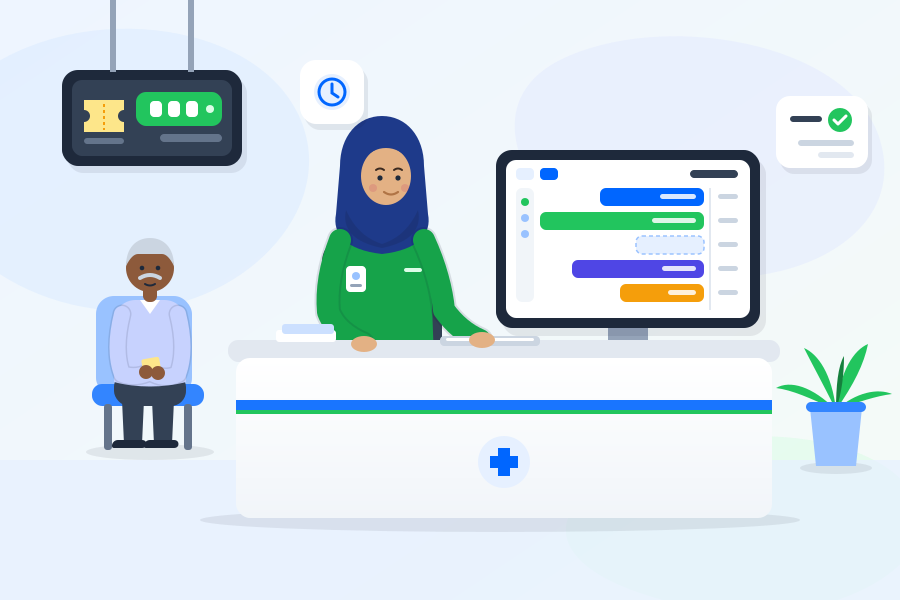
Clinic staff audience artwork
For clinic staff

Each employee sees only their own work

A separate portal for reception, nursing and accounts, with per-person permissions — and no access to medical records unless granted.

Staff sign in
What the system contains

Every part of the clinic day has its place

Not a feature wish list — these are the modules running in the system today.

Electronic health record

The patient’s full file: every visit, every measurement, every prescription, tied together on one timeline.
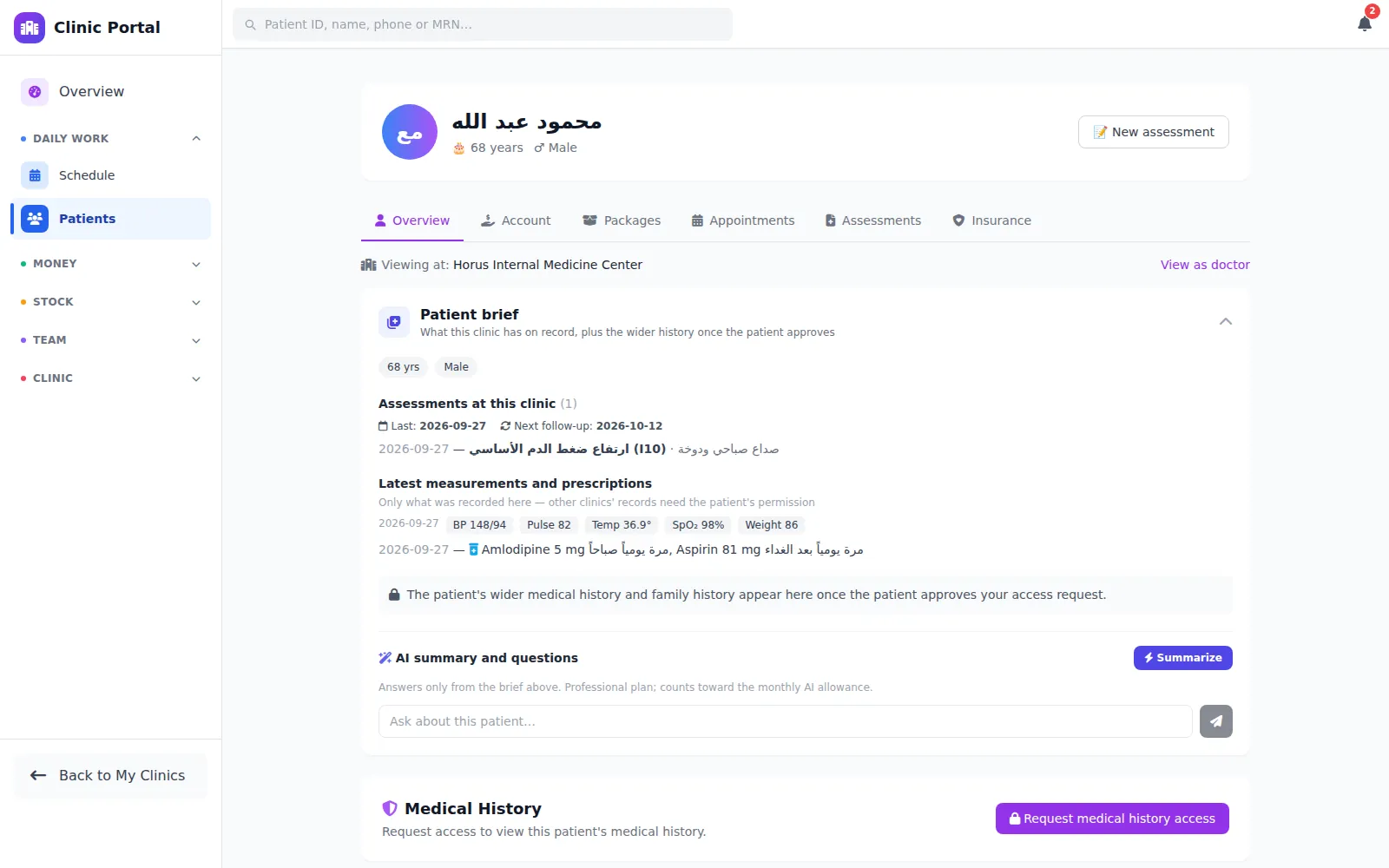
  • SOAP visit notes for every encounter
  • Vitals (BP, glucose, weight, temperature) tracked over time
  • Prescriptions that print in Arabic or English
  • ICD-10 coded diagnoses, which unlock analytics and insurance
  • Ready-made assessment forms per clinic type, plus your own
  • Medical consent records stored with the file
Screenshot — electronic health record

Clinic operations

Your day: who is coming, when, in which room, for which service.
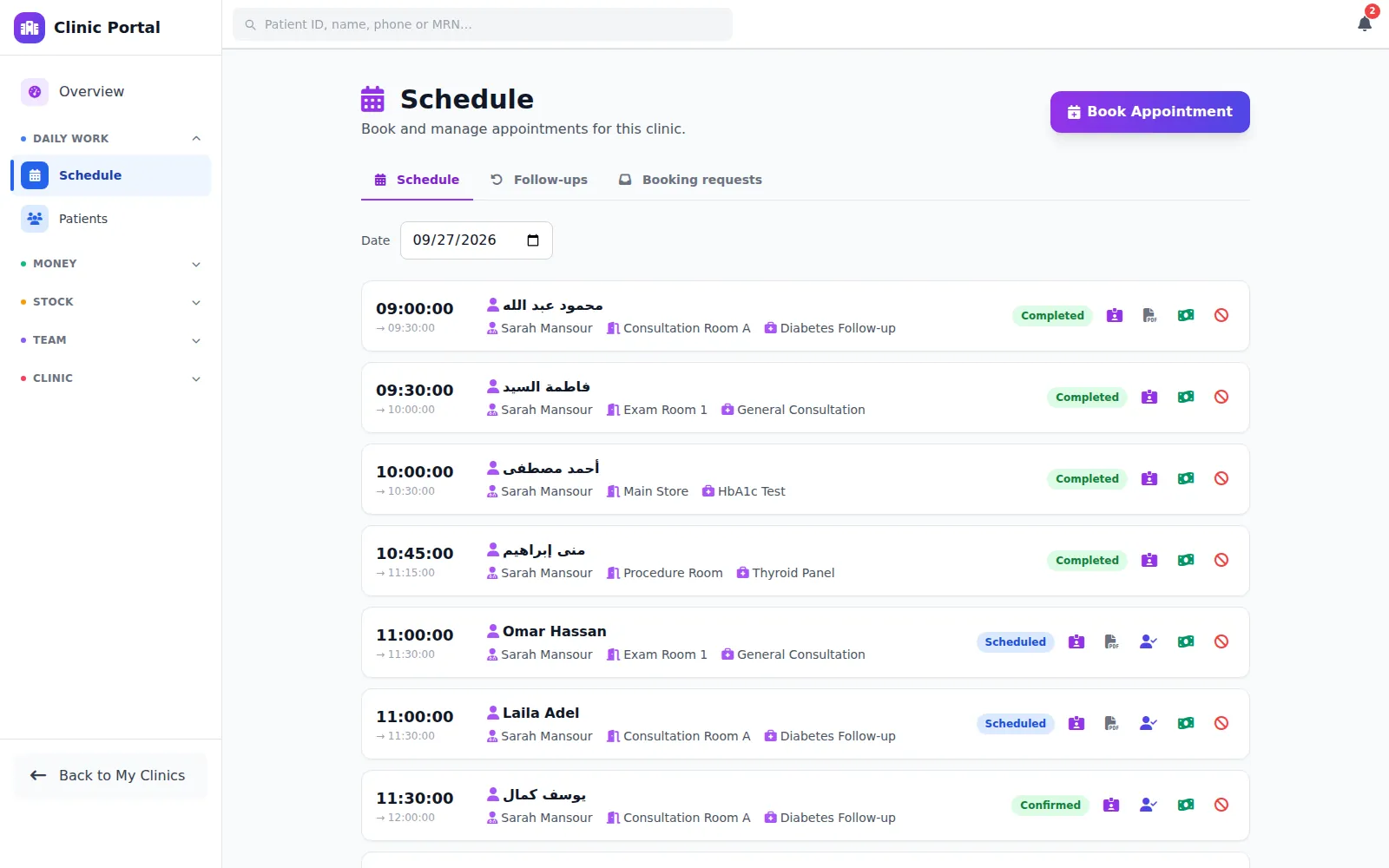
  • Appointments in a daily view, with conflict prevention
  • Consultation rooms and how they are assigned
  • Services with prices and durations
  • Packages and session bundles patients buy and draw down
  • The patient’s file at your clinic: visits, account and balance
Screenshot — clinic operations

Accounts and inventory

The full picture of money in and money out — not just revenue.
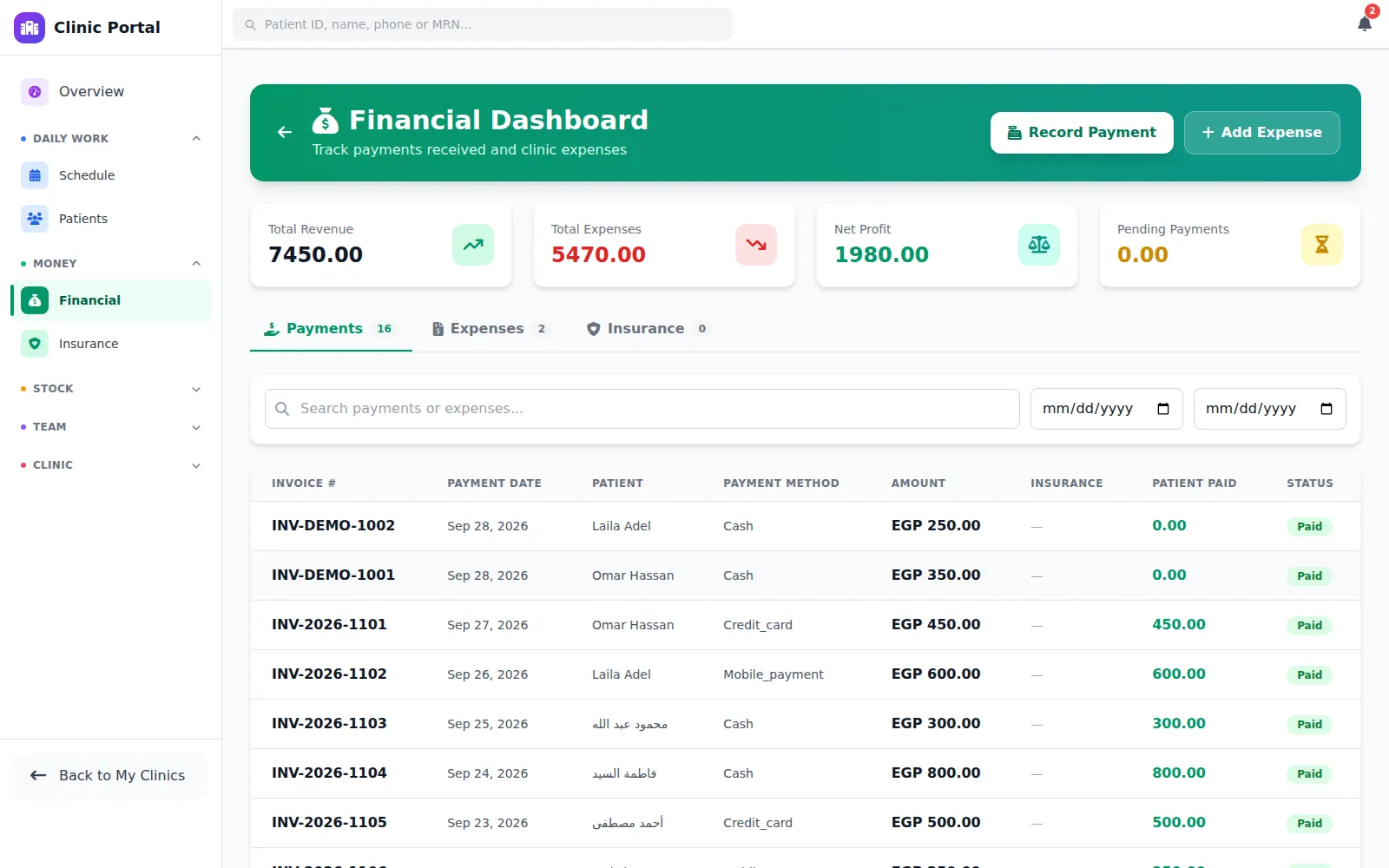
  • Invoices, payments and a running account per patient
  • Clinic expenses, so the financial picture is complete
  • Insurers, patient policies, and claims tracked by status
  • Suppliers, purchase orders and a ledger per supplier
  • Stock and its movement, with alerts before something runs out
Screenshot — finance and inventory

Team and permissions

Your staff work in the system without seeing more than they should.
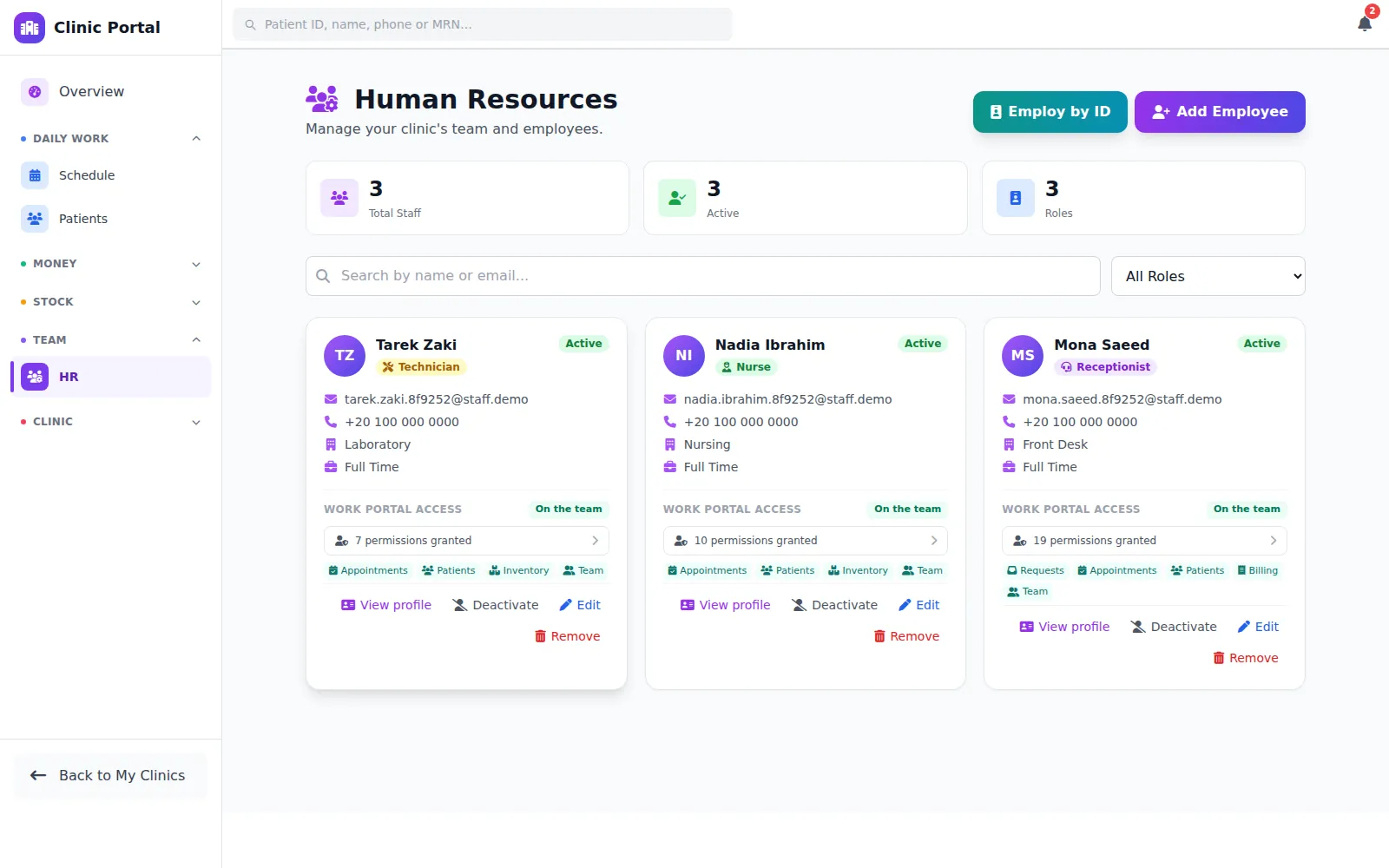
  • Invite staff by email; they join themselves
  • Granular permissions: which page, and what they may do on it
  • Attendance and salary advances
  • Payroll computed from attendance and advances
  • A separate work portal for employees, apart from the doctor account
Screenshot — team and permissions

Patient portal

Patients see their own file — which is what saves you phone calls.
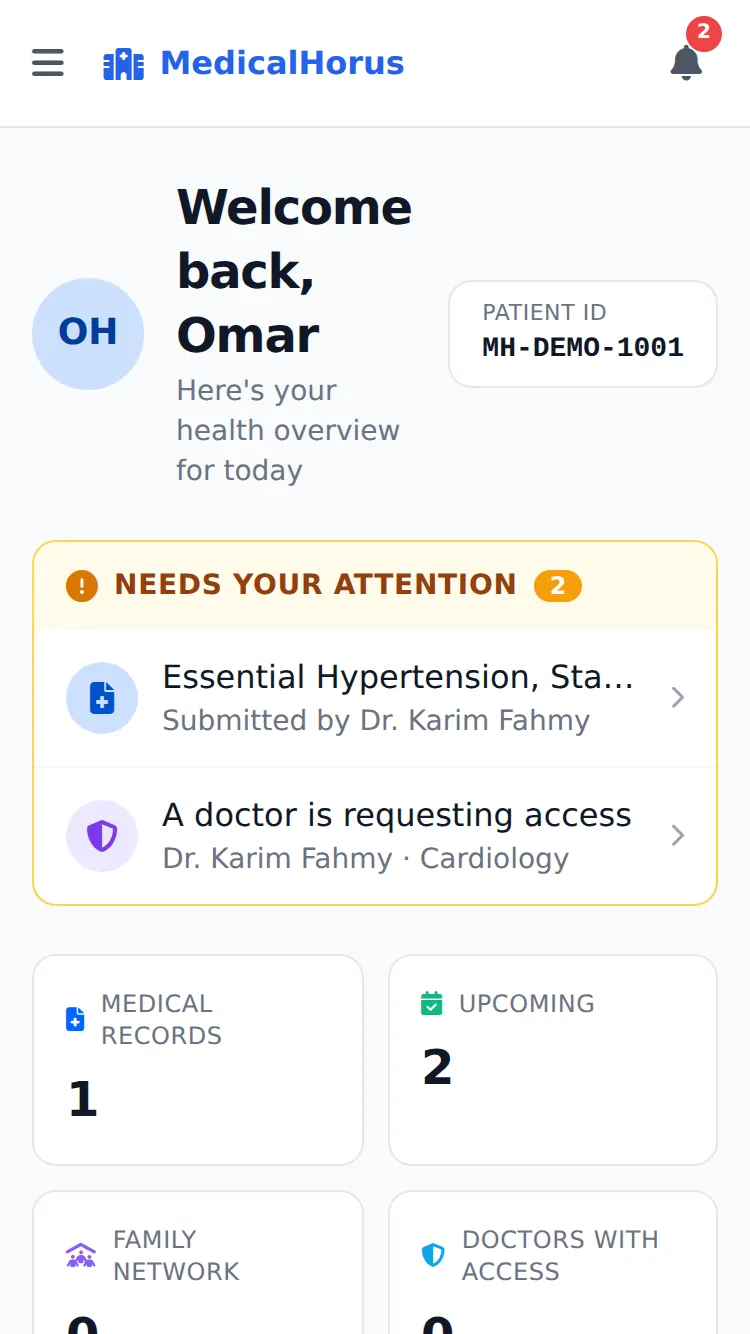
  • A patient dashboard with their appointments and visits
  • Medical history, allergies and chronic conditions
  • Children and family members under one account
  • Privacy controls and data export
Screenshot — patient portal

Medical community and public directory

A public page for every doctor and clinic, and a place to write — which is what brings new patients from Google.

  • A feed among doctors, with comments and engagement
  • Articles and case studies under the doctor’s name
  • Patient ratings and reviews of doctors and clinics
  • A public directory indexed by search engines
Screenshot — medical community feed

How to start

From signing up to a real first day running on the system.

  1. Step 1 icon — create an account

    1. Create your account

    Register as a doctor with your details and credentials. The account activates after verification.
  2. Step 2 icon — set up the clinic

    2. Set up your clinic

    Add the clinic and its type, the rooms, the services and prices, and your opening hours.
  3. Step 3 icon — invite the team

    3. Add your team

    Send invitations to your staff and set each person’s permissions before they get in.
  4. Step 4 icon — run the day

    4. Start the day

    Book appointments, write the visit note and prescription, print the invoice — all from the same screen.

Security and privacy artwork
Security and privacy

Patient data is a responsibility, not just files

The system is built so that every medical record has an owner, and every time one is opened it is recorded.

  • Role-based access

    Doctors, staff and patients each see something entirely different.

  • A full audit trail

    Who opened which record and when — stored and not editable.

  • Per-record ownership

    Being a doctor is not enough — you must be that patient’s doctor.

  • Documented consent

    Medical procedures carry a recorded consent tied to the file.

  • Data export and deletion

    Patients can request a copy of their data — a baseline requirement under Egypt’s data protection law.

From the doctors feed

Recent clinical writing from verified doctors and clinics.

See all
Empty state — no posts yet

Nothing published yet.

Try it on your own clinic

Start with one clinic and see the difference in the first week. No commitment, no card details.